Integrating the 3D Glitter Drip Tumbler Design into Your Sublimation Workflow
In the competitive landscape of custom drinkware, visual appeal is often the deciding factor for customers. The 3D Glitter Drip Tumbler Design represents more than just a static image; it is a strategic asset for creators looking to streamline their production process while maintaining high aesthetic standards. For small business owners, hobbyists, and professional designers, understanding how to effectively integrate this digital asset into a broader sublimation workflow can significantly impact efficiency and product quality. This article explores the practical implementation of this design, focusing on preparation, compatibility, and execution within a real-world crafting environment.
Understanding the Asset and Its Role in Production
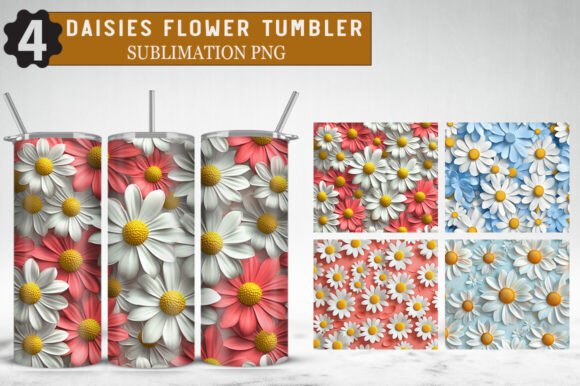
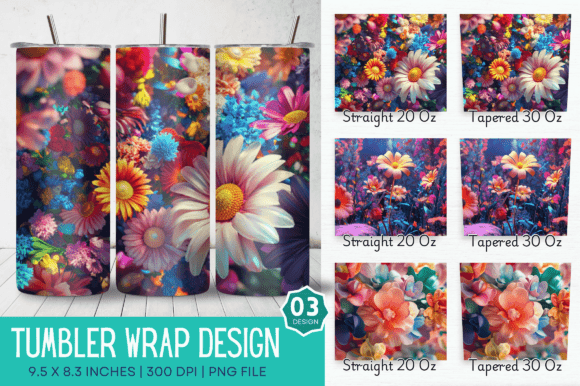
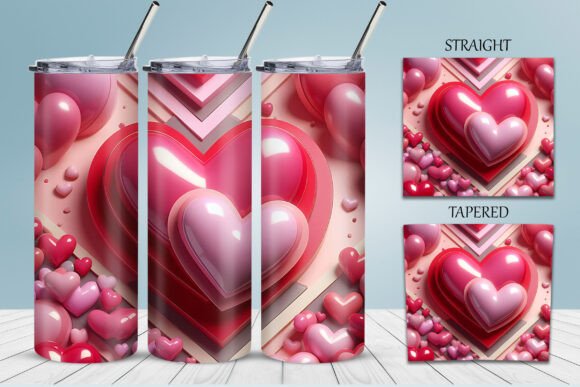
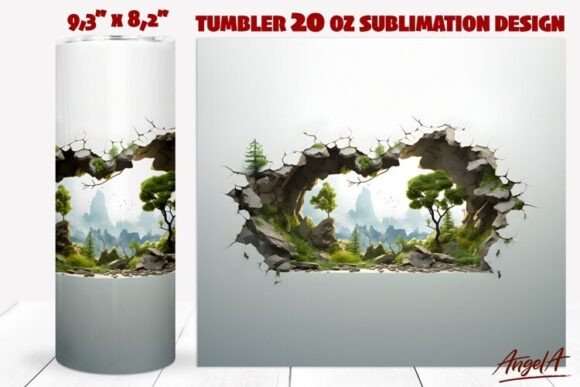
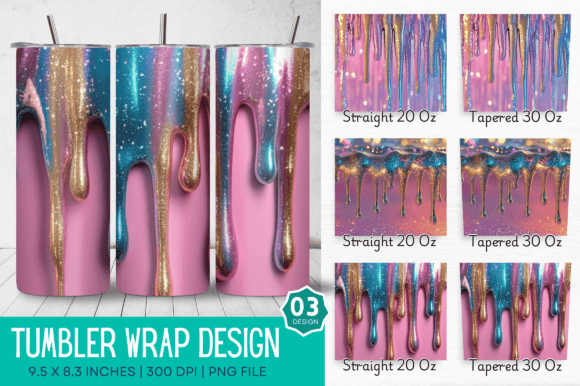
Before initiating any print job, it is crucial to understand the technical specifications of the files you are working with. The 3D Glitter Drip Tumbler Design is provided as a high-resolution PNG file, sized specifically at 9.5 x 8.3 inches. This dimension is not arbitrary; it is engineered to fit the standard 20oz skinny tumbler, which remains one of the most popular items in the promotional and gift markets. The design features a straight tapered layout, ensuring that the graphics align correctly with the physical contours of the tumbler without distortion.
The term "3D" in this context refers to the visual depth created by the glitter drip effect. When sublimated onto a white or light-colored polymer-coated surface, the high-contrast elements create an illusion of texture and layering. This visual complexity adds perceived value to the final product, allowing creators to command higher price points compared to flat, single-color designs. However, achieving this result requires precise handling of the digital file during the pre-press stage.
Pre-Press Preparation and Software Compatibility
Successful sublimation begins long before the heat press is turned on. The first step in utilizing the 3D Glitter Drip Tumbler Design is ensuring your software environment is ready. Since this is a digital download, you must have access to graphic editing software capable of handling high-resolution PNG files. Programs such as Adobe Photoshop, CorelDRAW, or even free alternatives like GIMP and Canva (with appropriate uploads) are suitable for this task.
One critical aspect of preparation is color management. Sublimation printers use CMYK ink, but digital files are often viewed in RGB. While the design is crafted with vivid colors and sharp details, minor shifts can occur during printing. It is advisable to perform a test print on standard paper to check color saturation and alignment before committing to expensive sublimation paper and tumbler blanks. This step minimizes waste and ensures consistency across batches.
Additionally, verify that your printer settings are configured for high-quality photo printing. The design boasts a 300 DPI resolution, which is the industry standard for professional results. Printing at a lower DPI will result in pixelation, ruining the crisp edges of the glitter drip effect. Ensure that your software does not automatically compress or resize the image upon import, as this can degrade the quality intended by the original artist, Digital_Art12.
Execution: From Digital File to Physical Product
Once the file is prepared, the next phase involves the physical application. The 3D Glitter Drip Tumbler Design is designed for a seamless wrap, meaning the left and right edges should meet perfectly around the circumference of the tumbler. To achieve this, precision in cutting and wrapping is essential.
- Cutting: Trim the sublimation paper closely around the design, leaving a small border if necessary for taping, but avoid cutting into the graphic itself.
- Wrapping: Align the design carefully on the 20oz skinny tumbler. Use heat-resistant tape to secure the paper tightly against the surface. Any gaps between the paper and the tumbler can cause ghosting or blurring.
- Protection: Cover the wrapped tumbler with a shrink wrap tube or heat-resistant tape to ensure even pressure and prevent the paper from shifting during the heating process.
The heating process itself requires adherence to the specific guidelines of your sublimation paper and tumbler blank manufacturer. Generally, this involves temperatures around 380°F to 400°F for several minutes. Consistency in time and temperature is key to reproducing the vibrant colors and sharp details promised by the design. After pressing, allow the tumbler to cool completely before removing the paper to avoid smudging the ink.
Versatility Beyond Drinkware
While optimized for tumblers, the utility of the 3D Glitter Drip Tumbler Design extends to various other merchandise categories. Because the file is a high-resolution PNG, it can be resized and adapted for use on T-shirts, hats, stickers, cups, backpacks, phone cases, blankets, and pillows. This versatility allows creators to maximize their return on investment by expanding their product lines without purchasing additional design assets.
For instance, a small section of the glitter drip pattern could be isolated to create matching stickers or phone case inserts. Alternatively, the full design can be scaled up for larger items like blankets, though care must be taken to maintain the 300 DPI resolution to avoid quality loss. This adaptability makes the design a valuable component of a broader inventory strategy, enabling cross-promotion and bundle offers.
Quality Control and Long-Term Use
Maintaining high standards requires ongoing quality control. Each batch of tumblers should be inspected for color accuracy, alignment, and surface defects. The 3D Glitter Drip Tumbler Design is intended for personal projects, small business crafting, or gifts, so consistency builds trust with your audience. If you notice variations in color output, review your printer maintenance routine, including head cleaning and ink levels.
Organization is also vital for long-term efficiency. Store the downloaded PNG files in a structured digital library, categorized by theme or product type. Back up these files regularly to prevent data loss. Since this is a digital download with no physical product shipped, having a reliable backup system ensures that you can always access the design for future orders or reprints.
Maximizing Value for Small Businesses and Creators
For entrepreneurs and freelancers, time is a scarce resource. Using pre-made, high-quality designs like the 3D Glitter Drip Tumbler Design reduces the time spent on graphic creation, allowing you to focus on marketing, customer service, and order fulfillment. The instant access to PNG files means you can respond quickly to trends or customer requests without waiting for custom design work.
Moreover, the professional finish of the design enhances brand perception. Customers associate high-quality visuals with high-quality products. By integrating this asset into your workflow, you signal attention to detail and professionalism. Whether you are creating custom gifts for friends or selling unique tumblers online, the ease of use and visual impact of this design support your business goals.
In conclusion, the 3D Glitter Drip Tumbler Design is a practical tool for anyone involved in sublimation printing. By understanding its technical specifications, preparing your workflow correctly, and executing the printing process with precision, you can produce stunning, professional-grade drinkware. Its versatility across multiple product types further enhances its value, making it a smart addition to any creator’s digital asset library. Embrace the efficiency and quality this design offers, and integrate it seamlessly into your creative and business processes.